

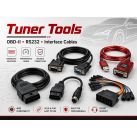

BFK-VMX17 - Bench Flash Kit
This bench flash kit provides the vehicle-specific adapter connection for ECU flashing off the bike on the Yamaha V-Max 1700, model code VMX17.
Fitment: V-Max 1700 (VMX17) only. This is not a universal adapter or a V-Max 1200 (VMX12) harness.
The adapter is supplied separately from the flashing interface and tune file.
Compatible flashing interfaces
- Gurued Gear Flasher 232
- GGUFT - Universal USB Flash Tool
- GT-V1 / GT-LT Wi-Fi Tuner
Part-number convention: BFK means Bench Flash Kit; the suffix identifies the vehicle model. On-bike harnesses use OBH. Versions for other models will follow and will have their own model-specific part numbers.
What you need to flash your bike
This product supplies item 3 - Bench Flash Kit.
You also need item 1 (a compatible tune file), item 2 (one compatible flashing interface), and item 4 (your ECU with stable power). Choose the bench kit OR the on-bike harness; both are not required.
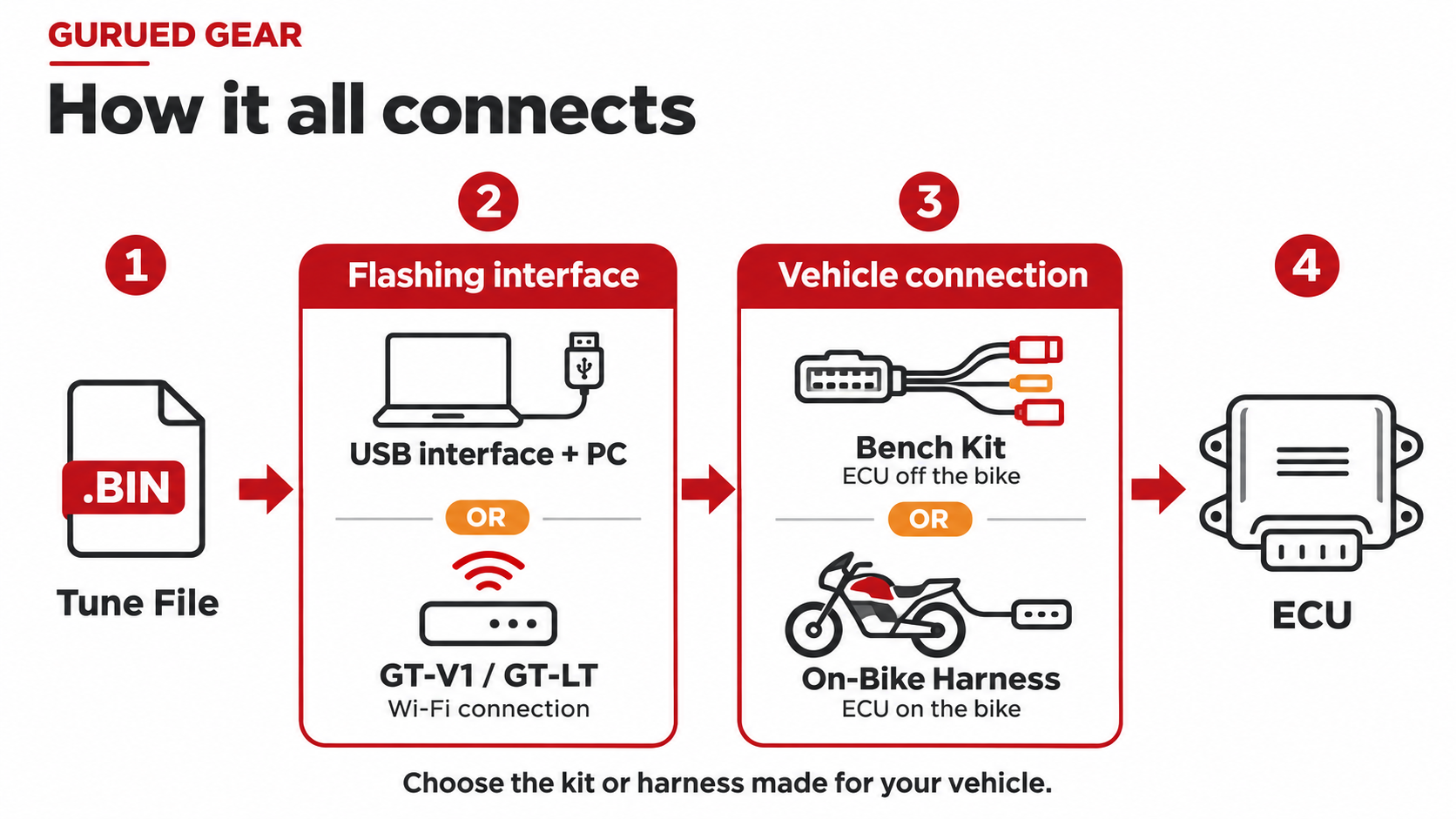
You need one compatible choice from each numbered group. The ECU in item 4 is your bike's ECU, not an extra ECU you need to purchase.
1Tune file
Choose a tune that matches your bike, ECU/market and intake/exhaust setup. Browse Yamaha V-Max 1700 (VMX17) digital tunes.
2Flashing interface
Choose ONE supported interface: Flasher 232 or GGUFT with a USB-connected computer, OR GT-V1 / GT-LT over Wi-Fi. The Flasher 232 is for supported serial-programmable ECUs. Match the interface to your ECU and flashing software; an ordinary USB cable alone does not replace it.
- SUPPLIED BY THIS PRODUCT
3Vehicle connection
For the Yamaha V-Max 1700 (VMX17), choose BFK-VMX17 Bench Flash Kit for an ECU removed from the bike, OR OBH-VMX17 On-Bike Harness for an ECU on the bike. You need one of these connection methods, not both. These two parts fit VMX17 only; other bikes require their own matching kit or harness.
4Your ECU and stable power
Use the ECU from your supported bike, matched to the tune. Keep stable power throughout flashing: the correct power supply for the bench setup, or suitable battery support for an on-bike setup. Follow the connection and power instructions for your equipment.
Also have your device and software ready
Use Gurued Tuner and the correct tune access for your account. For a USB interface, use a compatible computer/browser (Chrome or Edge on desktop) and complete the interface's required USB/driver setup. For GT-V1 / GT-LT, use a phone, tablet or computer with a compatible browser connected to the board by Wi-Fi, with the supported firmware and tune ready.
Already own a compatible item? You can use it. Check what is included in your selected product/options before buying additional parts. A tune purchase supplies digital access; hardware is separate unless the listing explicitly includes it.
Bestsellers
Featured products


Secure Shopping
